

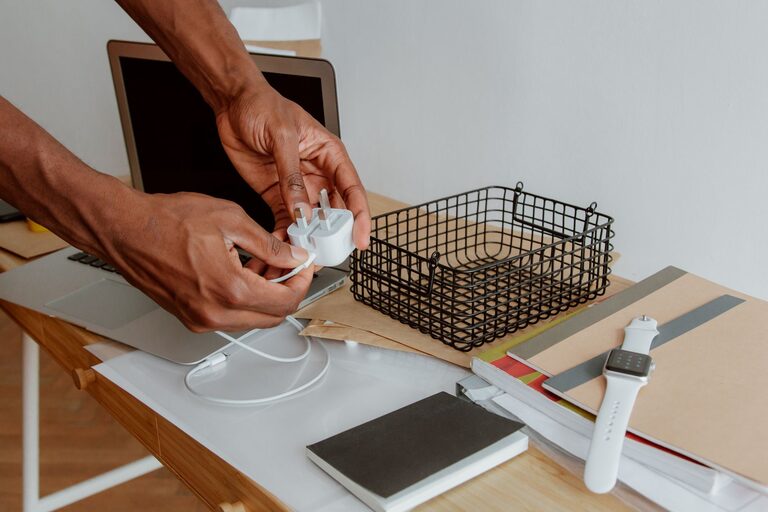
Messy cables can make a desk, drawer, or entertainment area look untidy. They can also make it harder to find the charger you need, create tangles, and take up more space than necessary. With a simple system, you can keep cables and chargers organized, easy to access, and ready to use.
The best approach is to sort what you have, remove items you no longer need, and assign each cable a specific home. You do not need expensive equipment. A few small storage tools and consistent habits can make a noticeable difference.
Start by Gathering Everything
Before organizing, collect all of your cables, chargers, adapters, and power strips in one place. Check desks, drawers, bags, cabinets, bedside tables, and storage boxes. This gives you a clear picture of what you own and helps prevent duplicate purchases.
Spread the items out on a table or another open surface. Separate them into broad groups, such as:
– Phone and tablet chargers
– Computer and monitor cables
– Audio and video cables
– Camera and gaming accessories
– Extension cords and power strips
– Adapters and plugs
– Cables that are no longer used
Do not try to create a perfect system immediately. The first goal is simply to see everything together.
Test and Remove Unneeded Cables
Cables often accumulate because they come with new devices or are kept “just in case.” Keeping a few spare cables is useful, but too many create clutter.
Test cables that you are unsure about. If a cable is damaged, frayed, bent near the connector, or unreliable, set it aside for proper recycling or disposal. Do not continue using a cable with exposed wires or visible damage.
You can also remove items that:
– Belong to devices you no longer own
– Are duplicates of cables you already have
– Have outdated connectors you never use
– Are too short or too long for your needs
– No longer work consistently
Keep a small backup supply if needed, but avoid storing every cable you have ever owned. A smaller collection is easier to manage.
Group Cables by Purpose
Once you have removed unnecessary items, group the remaining cables by use. Organizing by purpose is usually more helpful than organizing by appearance.
For example, you might create these groups:
Everyday Charging
Place the cables you use regularly in one easy-to-reach location. This may include phone, tablet, smartwatch, or wireless headphone chargers.
Work and Computer Equipment
Store laptop chargers, monitor cables, keyboard cables, and other work-related items together. If you work from home, keeping these items near your desk can save time.
Entertainment
Group cables for televisions, speakers, game consoles, streaming devices, and other entertainment equipment.
Travel
Create a small travel kit with a compact charger, commonly used cable, power adapter, and cable ties. This prevents you from searching through household storage before every trip.
Backup Items
Store spare cables separately from everyday cables. Label this container clearly so you know it is for replacements rather than daily use.
Choose Storage Containers
The right storage method depends on how many cables you have and how often you use them. Small containers, pouches, boxes, and drawer dividers can all work well.
Useful options include:
– Small fabric pouches for travel cables
– Divided boxes for adapters and connectors
– Drawer organizers for frequently used chargers
– Small bins for backup cables
– Cable management trays for desk wiring
– Wall-mounted holders for extension cords
– Reusable storage bags for grouped accessories
Avoid placing loose cables together in a deep box. They are likely to tangle, and finding one item may require removing everything else. Instead, use separate sections or containers for different categories.
Clear containers can be helpful because you can see what is inside. If you prefer solid boxes, add a simple label to the outside.
Coil Cables Without Creating Kinks
How you wrap a cable affects how long it lasts. Avoid wrapping a cable tightly around your hand or bending it sharply at the connector. These habits can place stress on the wire and the connection points.
Try the following method:
- Straighten the cable gently.
- Make loose, even loops.
- Keep the loops large enough to avoid sharp bends.
- Secure the coil with a reusable hook-and-loop strap.
- Store the cable without placing heavy items on top of it.
For longer cables, use the over-under coiling method. Make one loop normally, then make the next loop in the opposite direction. This can help reduce twisting and makes the cable easier to unwind.
Do not use adhesive tape directly on cables. Tape can leave residue, and repeated wrapping may damage the outer covering.
Label Chargers and Cables
Labels are especially useful when several cables look similar. A label can show what a cable is for, where it belongs, or which device it works with.
You can use:
– Small reusable cable labels
– Colored bands
– Label maker strips
– Masking tape with handwritten notes
– Different colored hook-and-loop straps
Write specific descriptions such as “desk monitor,” “tablet,” or “travel charger.” Avoid labels that are too general, such as “cable,” because they will not help when you are in a hurry.
For chargers with detachable cables, label both the charger and the cable if they are meant to stay together. This makes it easier to match components later.
Manage Cables Around Your Desk
A tidy storage system is helpful, but visible desk cables also need attention. Start by deciding where each device should sit. Then route cables along the back or side of the desk instead of allowing them to cross the work surface.
Simple desk improvements include:
– Using clips to guide cables along the desk edge
– Attaching a cable tray underneath the desk
– Securing loose wires with reusable straps
– Placing a charging station in one location
– Keeping power strips off the floor when practical
– Leaving enough slack to move devices safely
Avoid pulling cables tightly across walkways or placing them where chairs, drawers, or doors can catch them. A clean setup should also be easy and safe to use.
Create a Charging Station
A dedicated charging station can prevent chargers from spreading across the home. Choose a convenient location near an outlet, such as a desk, shelf, or side table.
Use a small tray, box, or organizer to hold the chargers. You can keep the charging cables connected and neatly secured so they are ready when needed. If several people use the same station, label each section or assign a space to each person.
Keep only the chargers used regularly at the station. Store rarely used or specialized chargers elsewhere to avoid overcrowding.
Organize Extension Cords and Power Strips
Long cords need extra attention because they can quickly become tangled. Coil extension cords loosely and secure them with a strap. Store them in a larger container or hang them on a suitable hook.
Power strips should be kept where they are easy to reach but not where they can be stepped on or covered by other items. Avoid overloading outlets or connecting power strips in long chains. If you are unsure about a power setup, follow the manufacturer’s instructions or ask a qualified professional.
Maintain the System
Cable organization works best when it becomes a regular habit. After using a cable, return it to its assigned location instead of leaving it on a desk or in a drawer.
Every few months, review your collection. Remove damaged or unused items, update labels, and adjust storage if your devices have changed. A quick check can prevent clutter from building up again.
The goal is not to create a complicated system. It is to make every cable easy to identify, simple to retrieve, and straightforward to put away. By sorting carefully, using practical storage, and maintaining the arrangement, you can keep chargers and cables neat without spending much time or money.